Graphic Plugins, Effects & Filters
On this page you'll find some great FREE addons for any software that accepts Photoshop plugins ( PSPro, Abobe Elements, Megalux and many more ) Most of the developers of these plugins have others besides the one shown here.
Check them all out.
Make it a colorful world!
Use your Imagination!
Have fun! Be creative! Express yourself!
Find the artist hidden inside you!

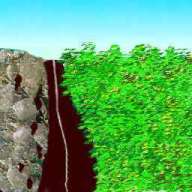
BELOW RIGHT - is the original picture created without any effects.
Scrolling down the page and move your screen right, you'll see different effects or filters applied to the original picture. You will also find a link to download the FREE plugin that was used in that particular view.
BELOW LEFT - shows the effect using the Xero Duochrome plugin.
Xero has 4 FREE sets of useful photoshop 8bf plugins(filters) for Windows only. I use many of these often. Click the link below to download all 4 sets.
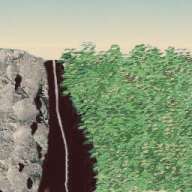
BELOW RIGHT - view was created using the G-Force plugin
This FREE plugin gives a nice BW grain effect. There are 2 versions, 1 for Windows and 1 for Mac. Be sure to get the one you need. The Cybia website has many more plugins for different effects. Click the link below
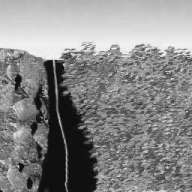
BELOW LEFT - Harrys Circular Noise Filter applied on this view
This is one of 55 Harrys filter effects. This FREE plugin offers many different effects. Harrys Plugin site offers a lot of resources and information so you may want to save his site for future reference. Click the link below to download Harrys Filters.
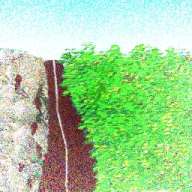
BELOW RIGHT - an unusual frame was made using Sinedots II
Dragonflys Sinedot II filter can be used to create unusal effects. I'm sure you will have fun trying it yourelf. Be sure and check the Shader plugin too while you're there Click below to go to Dragonflys site and download the FREE filters.
http://www.philipp-spoeth.de/index.html#Photoshop/PhotoshopIndex.html#SinedotsII/sinedotsII.html
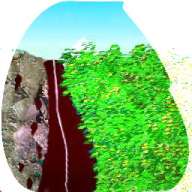
BELOW LEFT - view has Richard Rosemans DiffuseGlo applied.
This is one of many of Richard Rosemans FREE plugin filters. Go to his site below,view the effect samples and download the plugins for FREE.
http://www.richardrosenman.com/
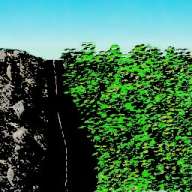
BELOW RIGHT - Design was made with a plugin from Mehdi
The Mehdi Kaleidoscope2 plugin was applied to the original picture to make this design. You will find many useful free plugins at his site and find many you will find useful. Click the link below to go to his site.
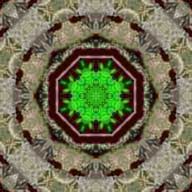
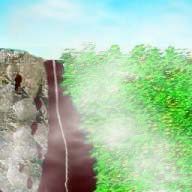
RIGHT - shows the Ulead Particle effect applied.
This misty effect was created with the Ulead FREE plugin. This plug in has a few different settings, which can be very useful. You only need register to download this plugin. Try it and be creative!
http://www.ulead.com/download/freeparticle/download.htm
Click the book below to view the Art Photo Album